Tasks / Page 20 of 53
This page is one part of The Ishoo manual. The complete manual is a single page, short enough to read in one go: ishoo.app/docs/
Tasks
An Ishoo task holds a scope written before work starts (concrete change, main surface, proof of done, out of scope), results written after it ends, plus its status, owner, priority, labels, linked decisions, blockers, files and a comment thread.
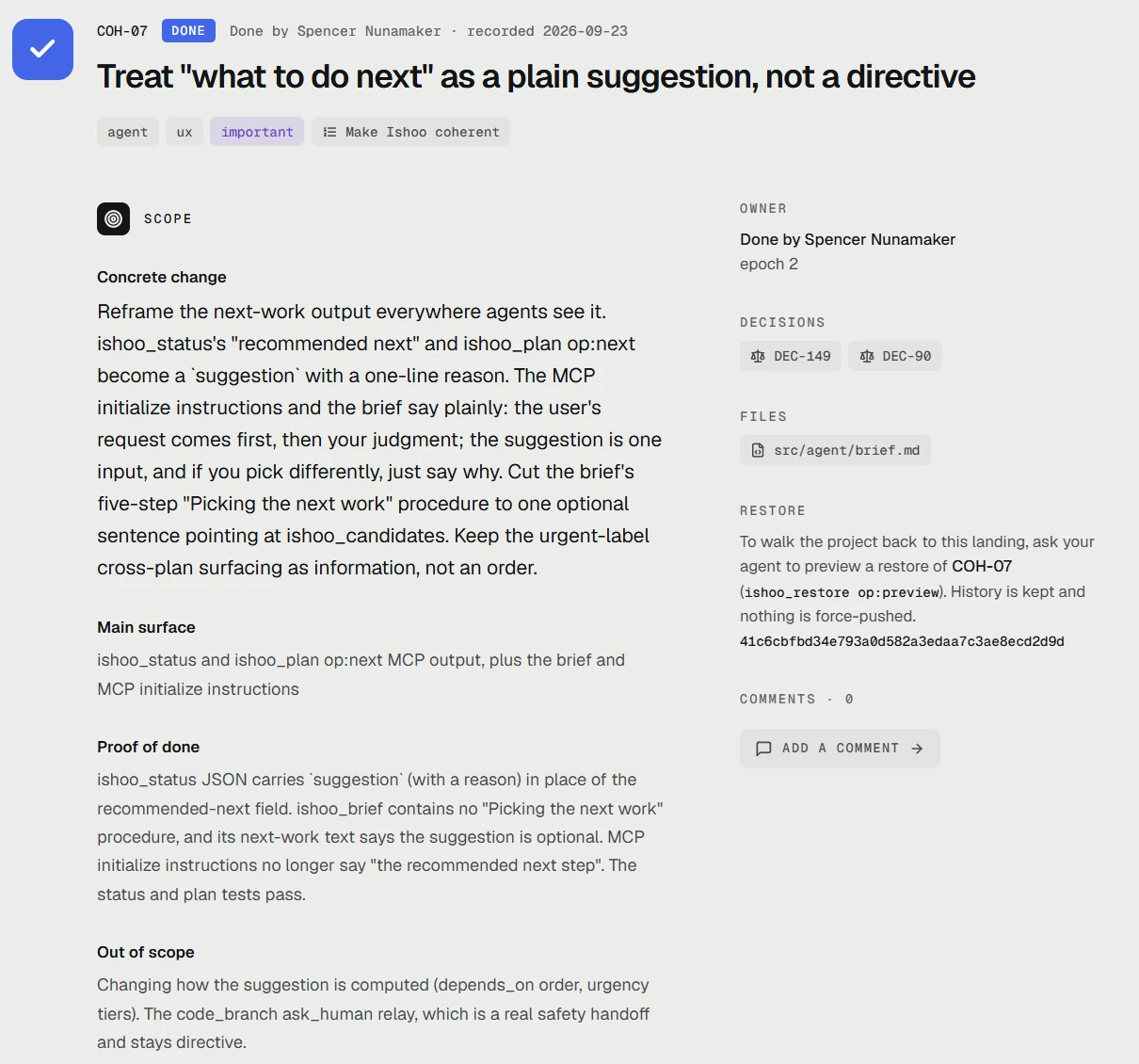
Each task has an id made of a short category and a number, like UI-12 or FIX-03, and one of four statuses: Backlog (not started), Active (being worked on), Done (landed), or Retired (declined or replaced).
| In the task panel | What it shows |
|---|---|
| Scope | The four promises made before work started. |
| Resolution | What changed, why, how it was checked, and the handoff note. |
| Owner | Who owns it, with Start, Stop, Hand off and Take over. |
| Decisions | The decisions that govern this work. |
| Depends on · links | Tasks it waits on, and related tasks. |
| Lineage | The task it was split from, or the tasks it was split into. |
| Files | The source files it touches. |
| Comments | The latest comment and a button to open the thread. |
Your agent writes tasks. You can change one yourself with Edit: title, category, status, priority, owner, labels, governing decisions and the four scope fields. The form won’t save without a title, a category, all four scope fields and at least one governing decision. Delete is in the same form.
How it works: labels
Labels are optional, up to five per task, from a fixed list (such as ux, fix, docs, safety). An unknown label is removed with a warning instead of blocking the task, so a typo never stops work.