Works with 
 Codex
Give your AI the structure to work like a real engineer.
The companion app for Claude Code and Codex. It keeps the plan, so your agent always knows what’s next.
$39 once · 14-day free trial · no account · Windows & Linux first
 Demo video coming soon
01 / How it works
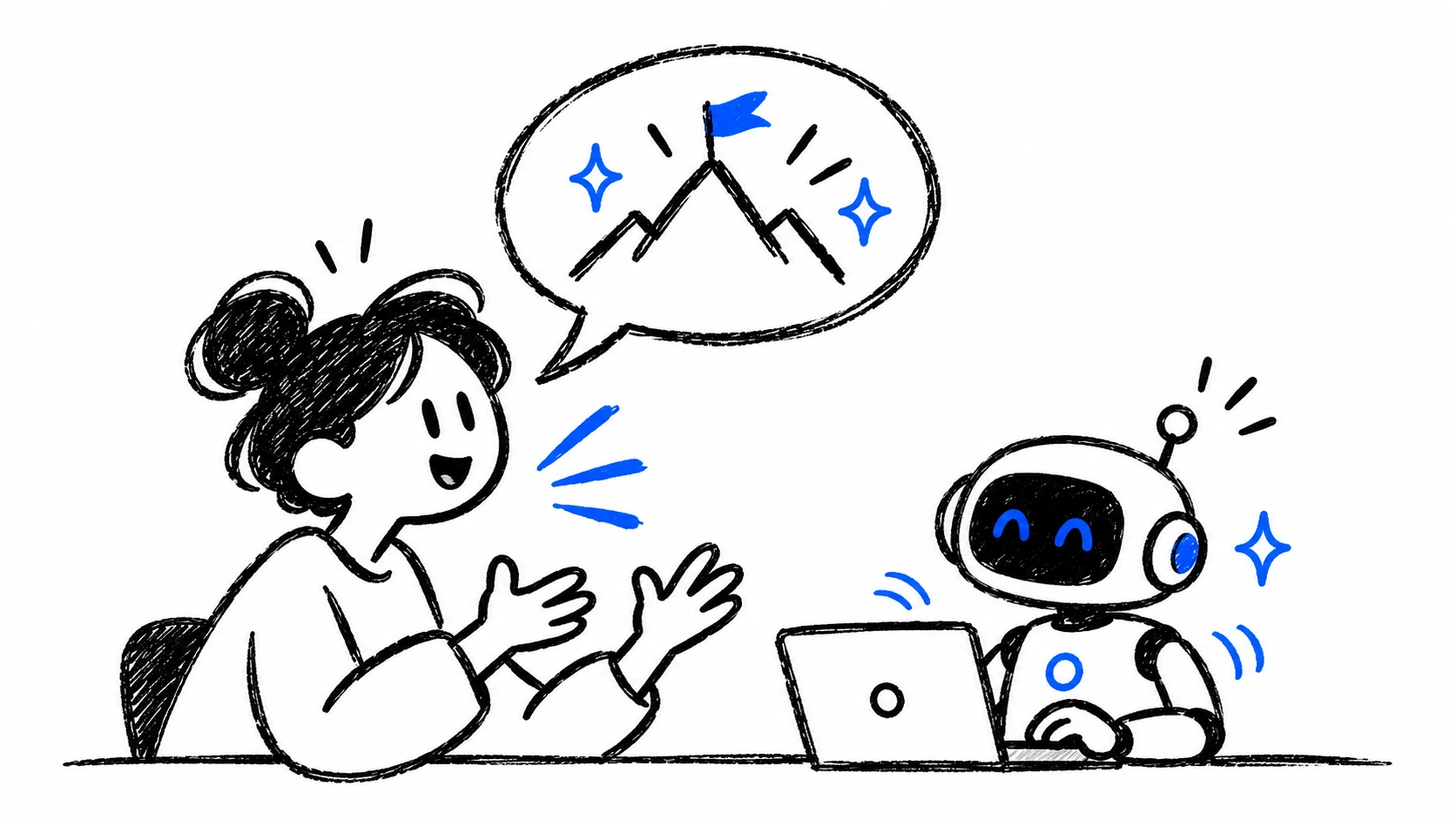
Say what you want.
It turns into a plan.
- Install Ishoo
- Talk it through
- It keeps the plan
Can we add dark mode? With a switch in settings.
Sure. I’ll plan it out.
+ Filed a plan in Ishoo
TASK-1 is too big for one go, so I split it in two.
oh, and keyboard shortcuts at some point
That’s separate, so I filed it as its own plan.
PlanAdd dark mode0 / 4
PlanSign-up flow3 / 5
PlanKeyboard shortcuts0 / 2
02 / Get to work
Ready to work?
Your agent knows what to do.
It picks the next task and starts. Along the way it files what it finds, records decisions and brings in helper agents.
Claude or Codex · in the app or the terminal
Every color comes from one shared palette. That’s now a decision.
Recorded a decision
Ran the checks · all passed
TASK-4 and TASK-2 can run side by side. Bringing in two helpers.
Started 2 helper agents
Both helpers finished · checks passed
Done with three. Starting TASK-3.
PlanAdd dark mode3 / 5
TASK-1Dark colors for the main screens
TASK-4Dark colors for menus and popups
TASK-2Follow the system setting
TASK-3Add the switch in settings
TASK-5Fix charts in dark mode
DecisionAll colors come from one shared palette.
03 / Before & after
AI can build almost anything.
Ishoo keeps it on track.
- “Can you remind me what we were doing?”It already knows. Just say “get to work.”
- “Wait, where did the search feature go?”Nothing gets silently overwritten.
- “I thought we agreed not to do that?”Decisions stay decided.
- “All done! Everything should work now.”Done means the checks actually passed.
Still building in a ChatGPT tab? Your plan already includes Codex, and Claude plans include Claude Code. Install one, add Ishoo, say “get to work.”
04 / Built in
The habits of a good engineering team, built into every task.
Ishoo isn’t just somewhere to keep tasks. It’s a way of working your AI has to follow, every session.
North star
Closing an app actually quits it.
Every new idea must pass
- Does it make closed apps reliably gone?
- Does it keep things simple for the user?
- Does it protect unsaved work?
New idea“Add a RAM booster”Fails test 1 · flagged
FEAT-03Task
Show proof the app is really gone
- Change
- One message when an app has fully closed.
- Where
- The tray panel.
- Done when
- Closing a real app with two helpers shows one accurate result.
- Won’t touch
- Timers, history, dashboards.
DEC-05Accepted
Never close an app that has unsaved work.
Alternatives rejected
- Force-close after a timeout
- Ask about every single app
Every new session is told: don’t contradict this.
Control reliability5 / 8
NowFEAT-03Show proof the app is really gone
WaitingFEAT-04Share one cleanup command
FEAT-04 depends on FEAT-03, so Ishoo won’t start it yet.
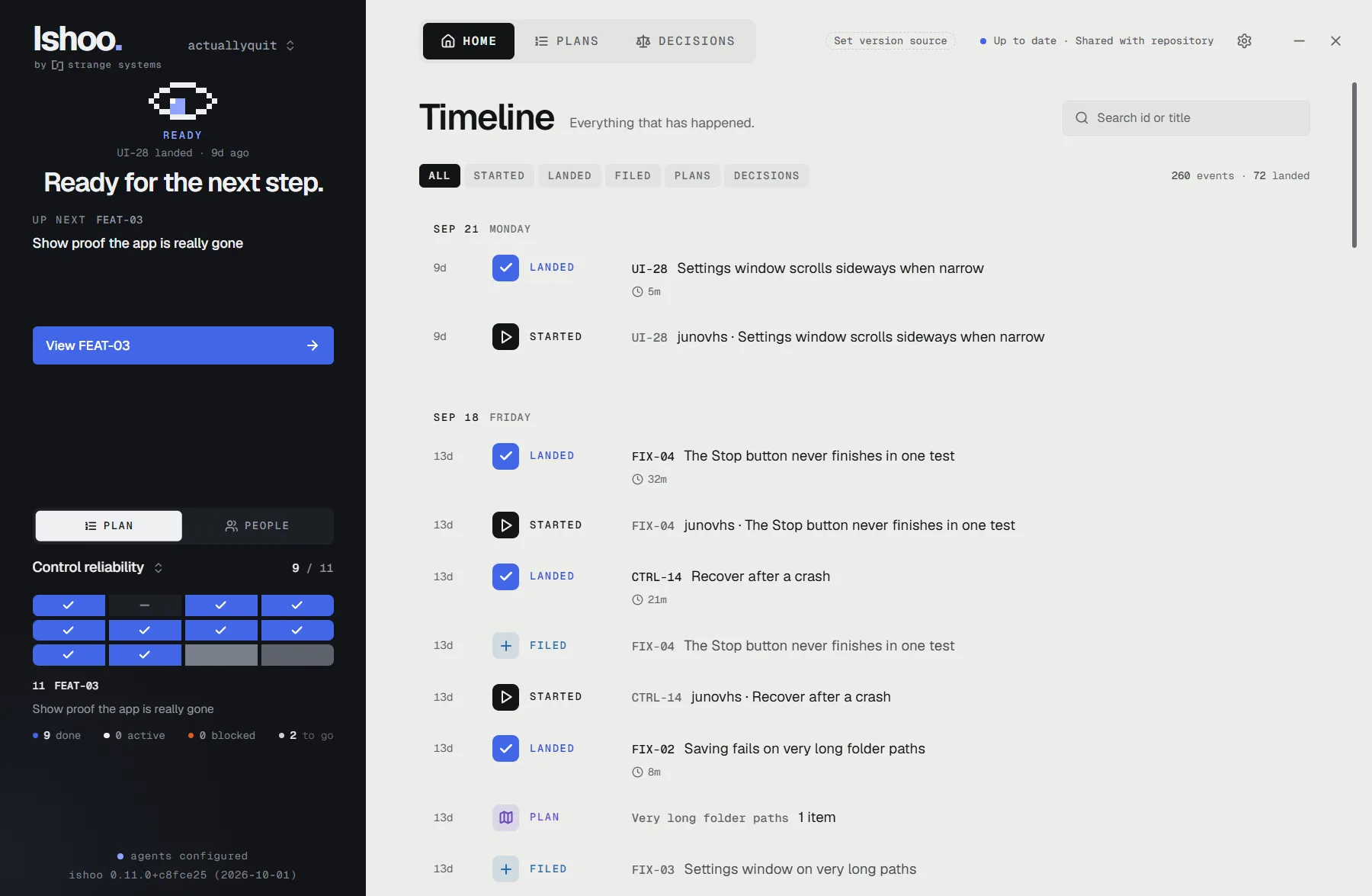
Timeline
✓Landed FEAT-03 Show proof the app is really gonetook 24m · 2 checks passed
✓Landed CTRL-14 Recover after a crashtook 21m · 3 checks passed
✓Landed FIX-02 Long folder pathstook 8m · 1 check passed
Nothing is lost, and nothing is ever force-pushed.
05 / The app
One calm window.
The rail tells you whether you’re needed. Beside it: everything that happened, every plan in order, each task’s exact scope and every decision. Your agent keeps all of it current.
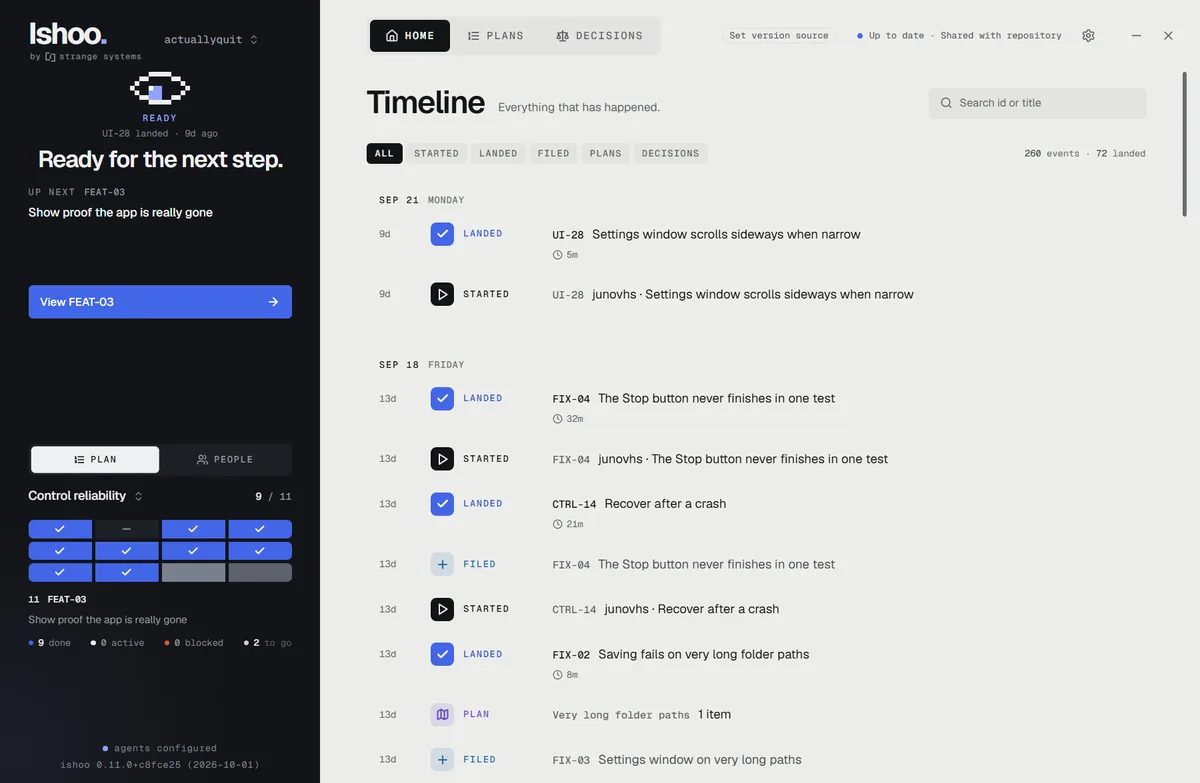
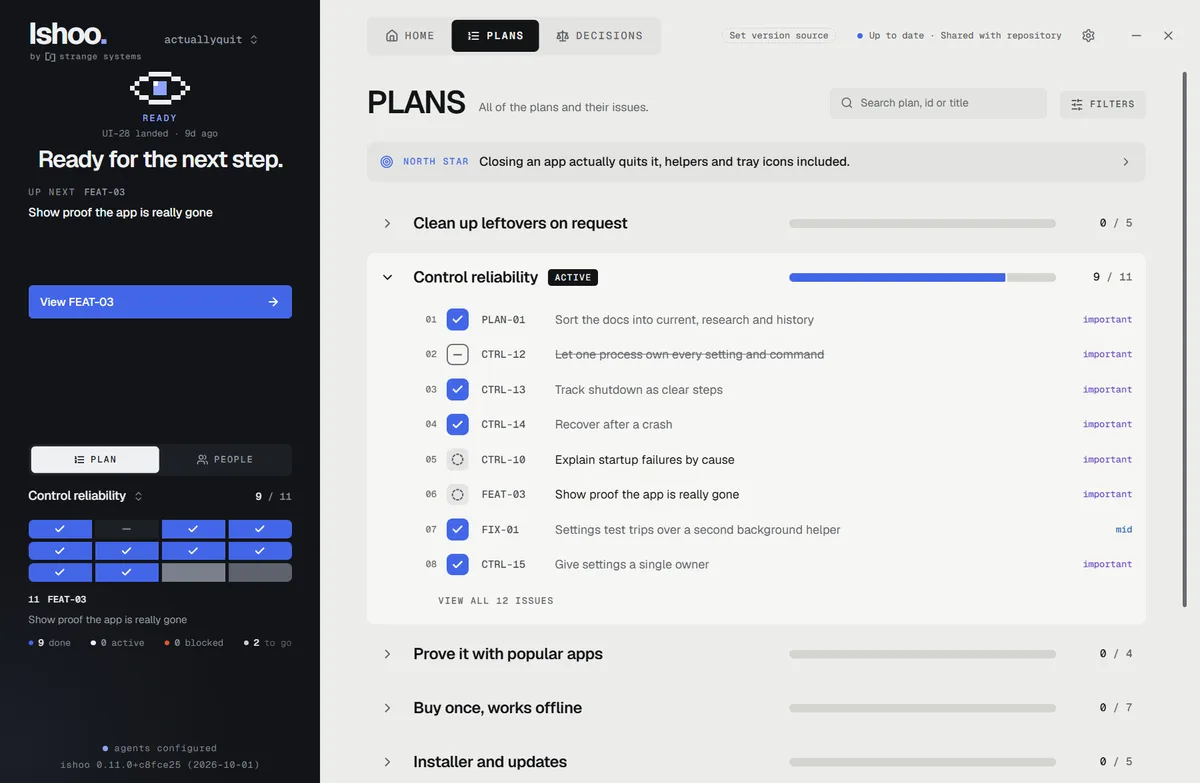
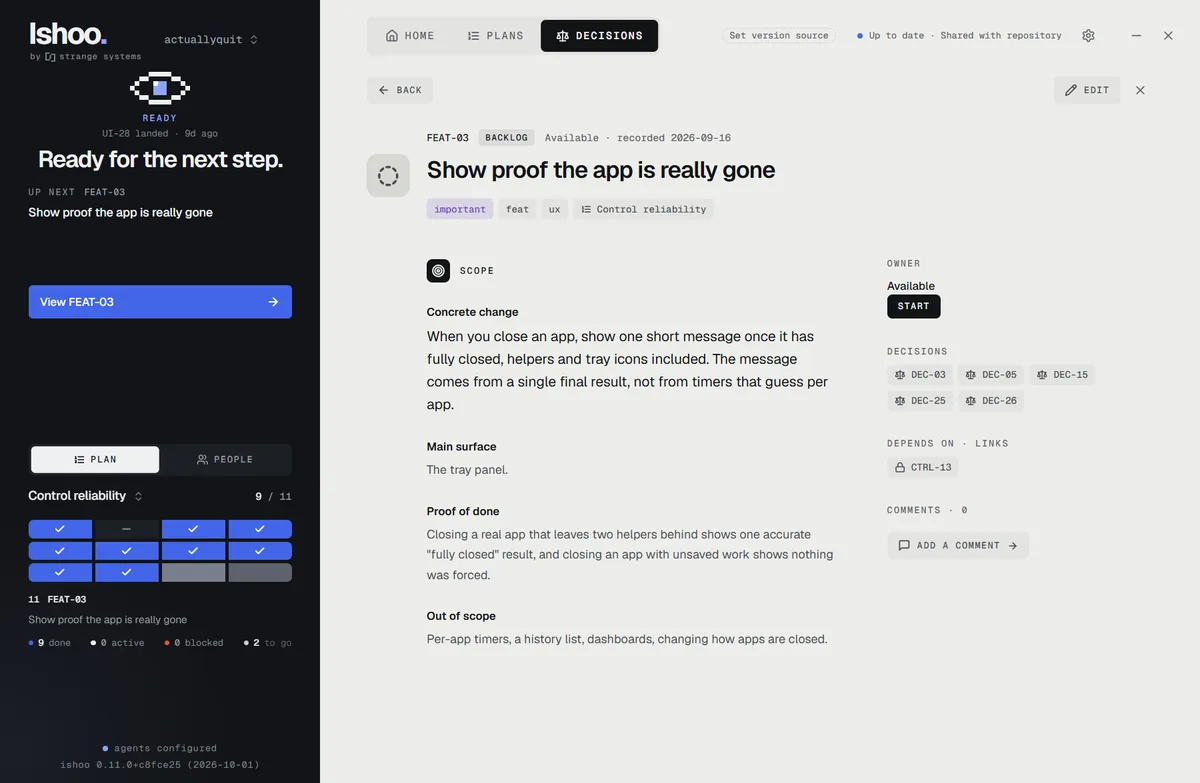
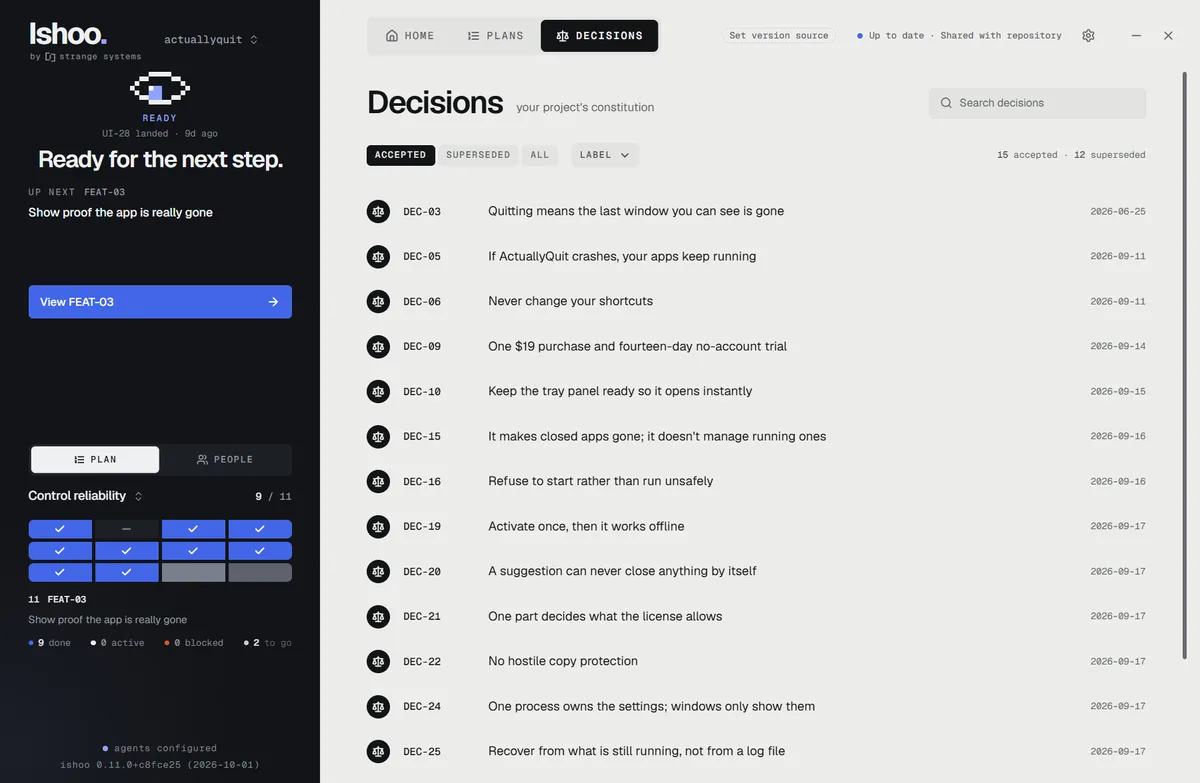
1 / 4 Timeline
06 / Under the hood
One agent or a whole team.
Nobody collides.
No Ishoo serverPlans and decisions live in your project’s own Git, next to the code.
Checked out firstTwo agents, or two teammates, can never grab the same task.
In progress
6 things underway.
- FEAT-03Show proof the app is really gonePPriyafor 31m
- CTRL-10Explain startup failures by causeYyoufor 24m
- CORE-11Sign the Windows installerSSamfor 18m
- FIX-03Settings window on very long pathsDDevfor 9m
+2 more
Any Git hostGitHub, GitLab, Bitbucket or your own. Your agent keeps it synced.
For developersStop maintaining a tracker for your agents. They keep it themselves.
07 / Pricing
Pay once.
Keep it.
Ishoo v1 · per seat
USD
No subscription. The license works offline and is yours.
- 14-day free trial of everything. No card, no account
- All v1 updates included
- One seat is one person, on every computer and project they use
- Your history stays readable and exportable, trial or not
Status
Private beta
Ishoo is in a private beta. Ask for an invite and we’ll email you a download link and a free beta code.
Buying for a group? Ask about multiple seats →08 / Questions
My team already uses Claude all day. Is Ishoo for us?
Yes. If that means Claude Code or Codex working in your projects, you are exactly who Ishoo is for. You keep talking to your agent the way you do now. Ishoo gives it somewhere to keep the plan, tasks and decisions, so nobody on the team has to maintain a tracker. If you only use Claude in a browser chat, you need Claude Code or Codex first. Most Claude and ChatGPT plans include one.
Do I still decide what gets built?
Always. Nothing starts until you ask. Your agent turns what you say into plans and tasks, decisions that need a person come back to you, and you can read every plan, task and decision in the Ishoo window.
Does Ishoo do the work by itself?
No. Ishoo doesn’t include an AI model and never starts work. Your agent does the work when you ask. Saying “go” lets it work through the backlog, but your conversation is what starts it.
How is this different from Linear or GitHub Issues?
It does the same job for an engineering team, but nobody has to maintain it. In Linear, people write and update the tickets. In Ishoo, your agent does, from your conversation, under rules: a task can’t start without a scope, can’t land without its checks, and every session is reminded of the decisions it must not contradict. Ishoo is opinionated on purpose: no sprints, story points or boards to groom. If you need cross-department roadmaps, Linear is the better fit.
Does it work for a team?
Yes. Each person uses their own agent, and the plans and decisions live in your project’s Git, so everyone works from the same record. Tasks are checked out first, so two people or two agents never grab the same one. One seat is one person.
Do I need to be a developer?
No, but you do need a coding agent (Claude Code or Codex) working on your computer. If you pay for ChatGPT or Claude, your plan already includes one. You describe what you want and review the plan. The agent writes the code and keeps the records. Ishoo makes that work visible, so you can follow along without reading every line.
Is this another AI subscription?
No. Ishoo doesn’t include an AI model and doesn’t talk to one. It’s the desk your agent works at. You keep using your own Claude or ChatGPT plan, and Ishoo is $39, once.
Where does my project data go?
Into your project’s own Git repository, on your computer. There’s no Ishoo account or server. If your project has a Git remote, the history is pushed there too, so anyone with access to that repository can read it. Keep secrets out of tasks and decisions.
Your AI provider’s data handling is separate and unchanged. More in the manual →
What about macOS?
Windows and Debian/Ubuntu come first. A Mac build is on the list, but we won’t promise a date we can’t keep. Request a beta invite and say you’re on a Mac. It helps us prioritise.
When can I get it?
Soon. The app is working (the screenshots on this page are Ishoo running on its own project), and we’re finishing the installer and checkout. Leave your email and we’ll tell you once, when it’s ready. Questions before then: [email protected].